Blocking Unwanted Mail in Microsoft OutLook
Click Inbox.
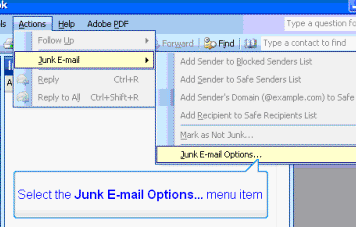
Click Actions then Junk E-mail then Junk E-mail Options.
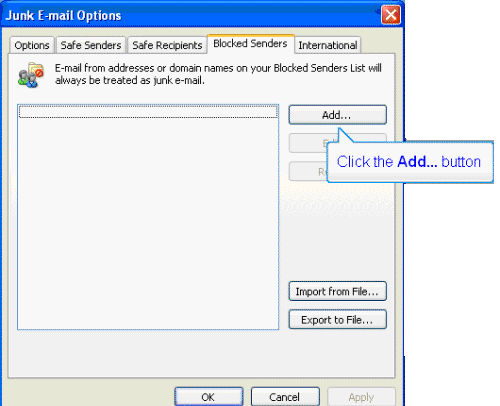
Click on the Blocked Senders tab, and then click the Add button.
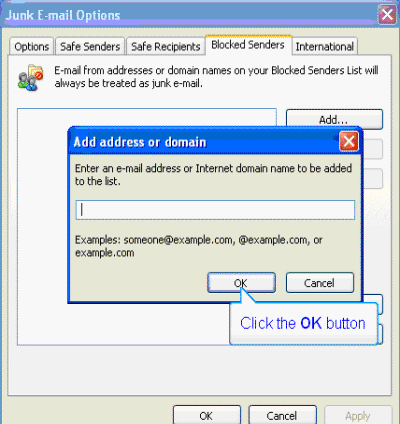
Type in the address you would like blocked and then click okay.
Click Inbox.
Click Actions then Junk E-mail then Junk E-mail Options.
Click on the Blocked Senders tab, and then click the Add button.
Type in the address you would like blocked and then click okay.