Skip to content
Truman State University
  • Admission
  • Academics
  • Alumni
  • About
  • Student Life
  • News & Events
  • Truview Login
  • Athletics
  • Directory
  • ITS Home
  • Get Help
    • Get Help
    • Technical Phone Support
    • Student Computing (How To)
    • How do I?
    • IT Service Center Laptop Checkout
    • Documentation
    • Training & Tutorial
    • Security Awareness
    • Phone Services
  • Forms
  • Purchasing Technology
  • Software & Labs
    • Software and Labs
    • Computer Lab Map
  • Learning Technologies
  • Policies & Procedures
  • Enterprise Systems
    • Enterprise Systems
    • Student Directory Data Request
  • About ITS
    • About ITS
    • IT Governance
    • ITS Annual Reports
    • Planning
  • Home
  • Connecting to the Secure Wireless Network with an Android Phone or Tablet

Connecting to the Secure Wireless Network with an Android Phone or Tablet

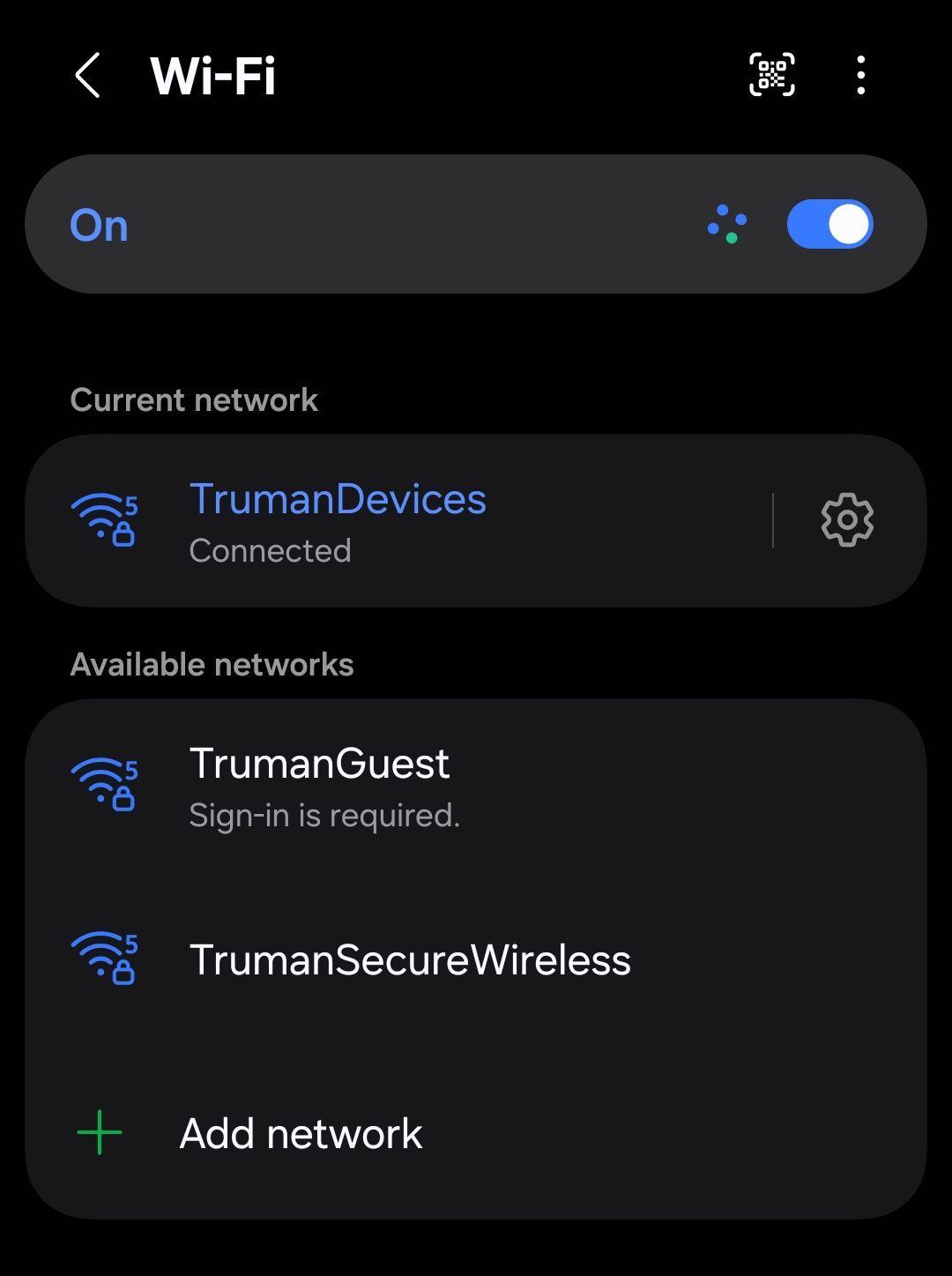
  1. First, go to your Wifi Settings. The steps may vary depending on your device. You can access them by going to Settings > Connections > Wi-Fi. Alternatively, open the Quick Settings panel from your home screen, press and hold the Wi-Fi icon, and then select More Settings. Once open, select the wireless connection called “TrumanSecureWireless”.

Wifi Settings Page

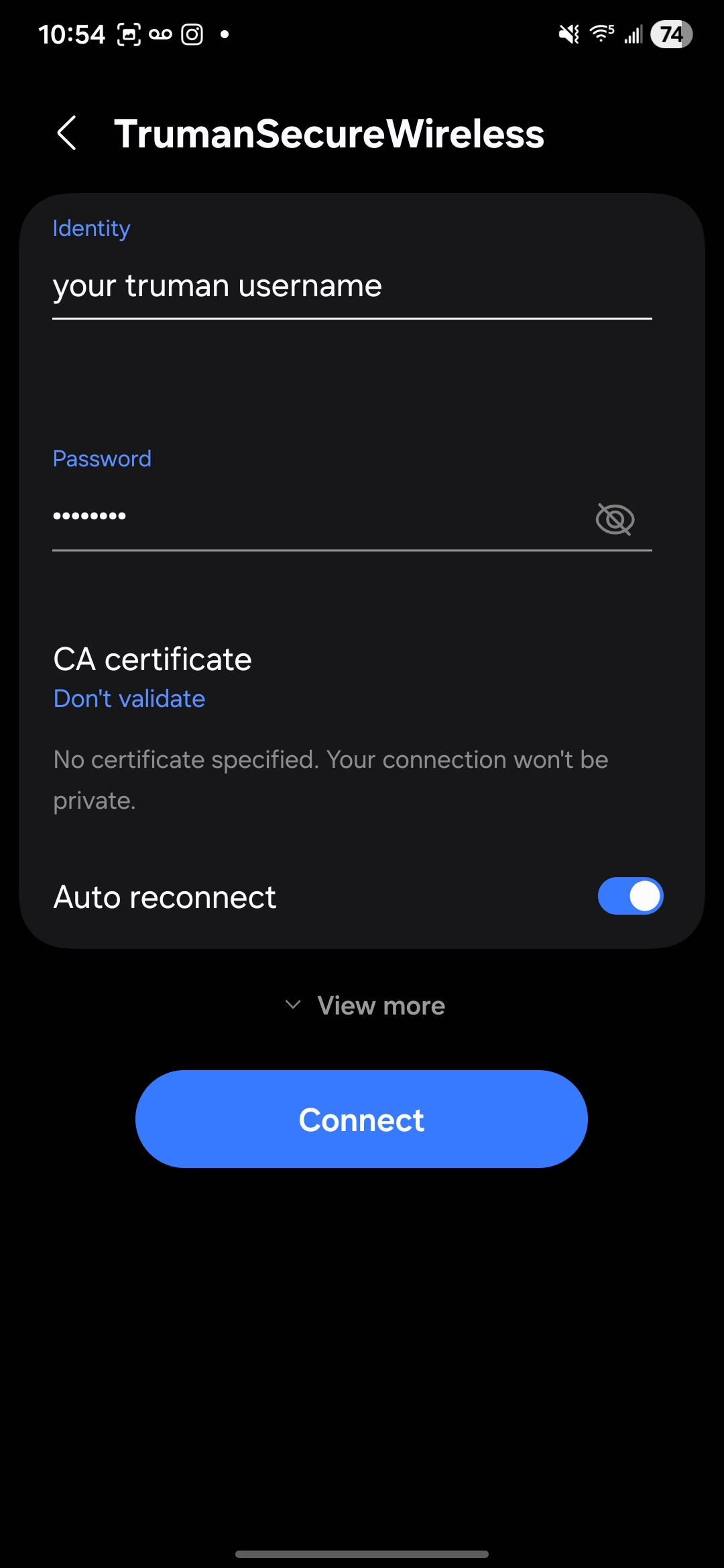
  1. Next, type or select the following from the drop-down menus:
    • Under “Identity”, type your Truman network username. (Example “rmuffley”.)
    • Leave “Anonymous Identity” blank.
    • Under “Password”, type your Truman network password.
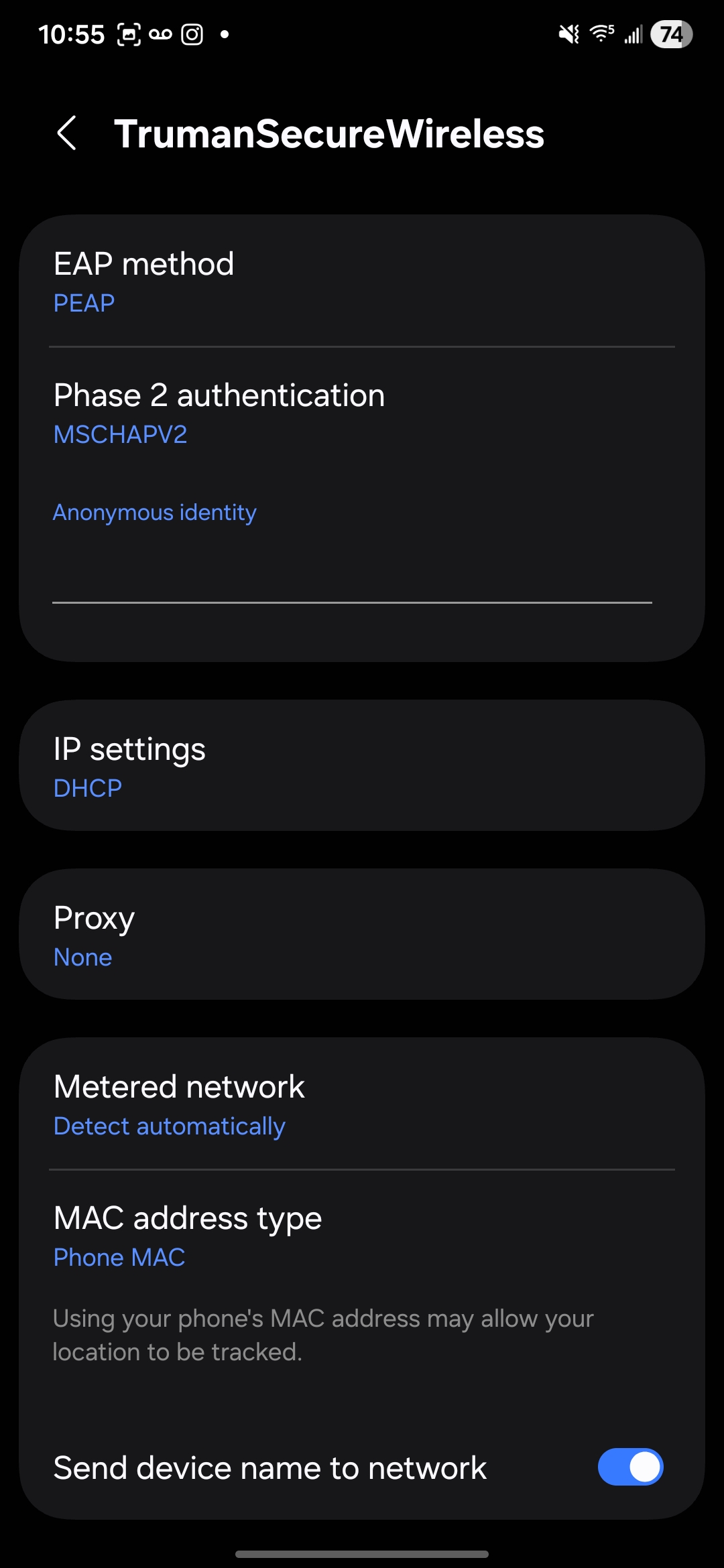
    • If the options below are not listed, click on the advanced option or view more settings
    • Under “EAP method”, select “PEAP”
    • Under ”Phase 2 authentication”, select “MSCHAPV2”.
    • Under “CA certificate”, select “Unspecified”. (It could also be “None”, or “No Certificate”.)
    • Under Device Mac, select “Use Device Mac.”

Wireless Connections Settings

  1. Once done, click “Connect”, and your device will now be connected to the TrumanSecureWireless.
Related Documents:

  • CAE Office Hours
  • Student Email Migration from Gmail to M365 Happening August 7th
  • Classroom and Other Infrastructure Updates for Summer 2023
  • Progress on Microsoft Office Upgrade to MS365
  • Email Updates
  • Enhanced Website Analytics
  • New Website Search Tools
  • Teaching Improvements and D2L Brightspace
  • Zoom Recording Deletions
  • Technology Improvements for Spring 2023
  • Classroom Improvements and Course Support
  • Changes to Google Storage
  • New Classroom Technologies!
  • Procedure for Creating an Outlook Data File or .PST File in Outlook
Truman Logo
#1 for 26 consecutive years  Ranked 9th out of top 50 most affordable
Truman State University
100 E. Normal Avenue
Kirksville, MO 63501 USA
(660) 785-4000
©2026 Truman State University
   Contact Us
Give To Truman
  • Get to Know Truman
    • Admission
    • Academics
    • Alumni
    • Student Life
    • About Truman
  • Explore
    • News & Events
    • Athletics
    • Directory
    • Parents & Families
    • Employment
    • TruView
    • Maps & Directions
  • Policy and Safety
    • Policies
    • Title IX/Statement on Non-Discrimination
    • Disclosures
    • Privacy Policy
    • Accessibility
    • Emergency Information
  • University Tiktok Account

Truman State University is an equal opportunity and affirmative action employer.

Back to Top